Project
Evo Bridge
A tiny pixel pet on a Divoom Timebox Evo that shows what Claude Code is up to: thinking, working, waiting for you, done or stuck.
- Client
- Own product
- Year
- 2026
- Role
- Design & development
The idea
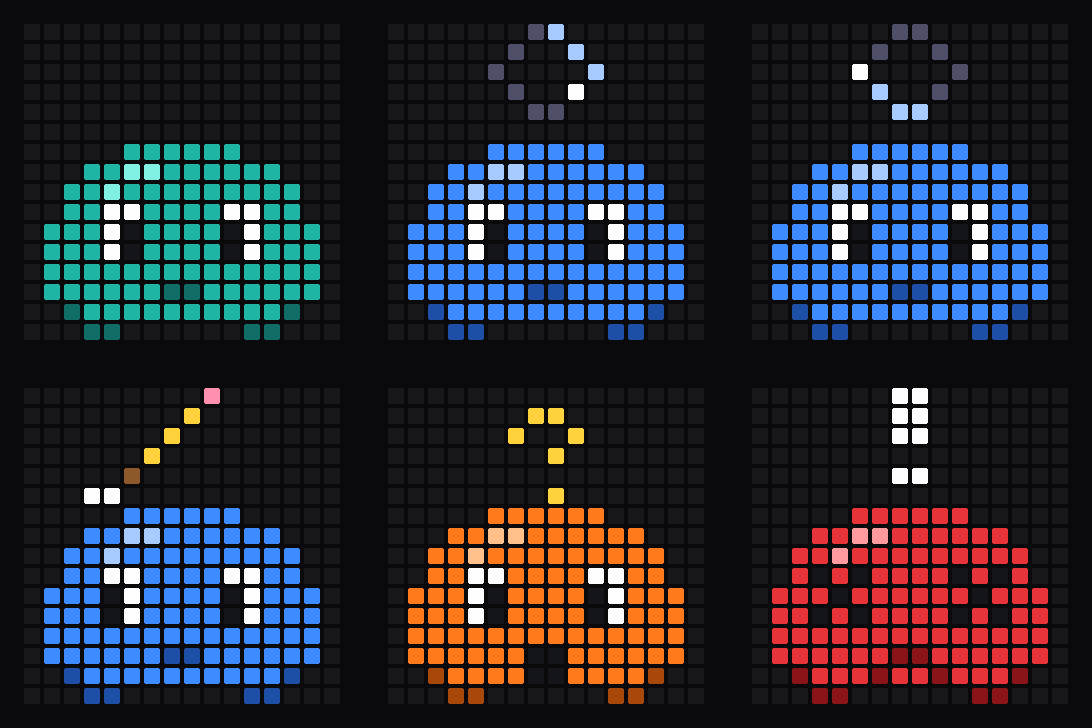
When Claude Code works on something for a few minutes, I switch to another window and forget to check back. Evo Bridge puts a small pet on the 16×16 LED display of a Divoom Timebox Evo next to the screen. It changes colour and animation with what Claude is doing, so a glance across the desk tells me whether it's still working, done, or waiting for an answer.
What it does
- Claude Code hooks report each session's state: idle, thinking, working (with its own animation for running a command, editing and reading files), needs you, done and error
- Several sessions at once: the display shows the one that needs you most, and falls back to the Evo's own clock after a while with nothing going on
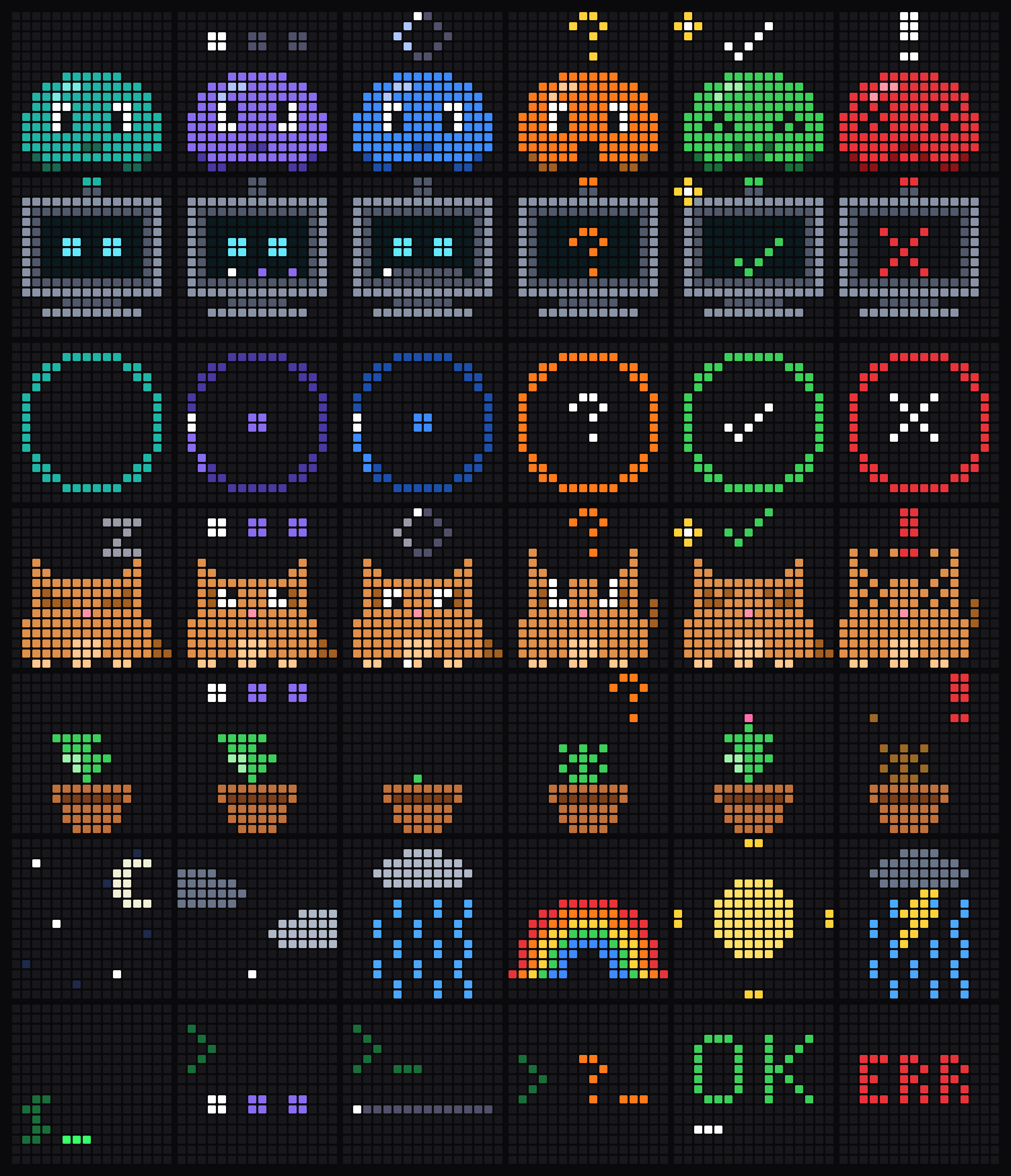
- Seven art themes: Blip (the original pet), Robot, Status ring, Critter, Sprout, Weather and Terminal
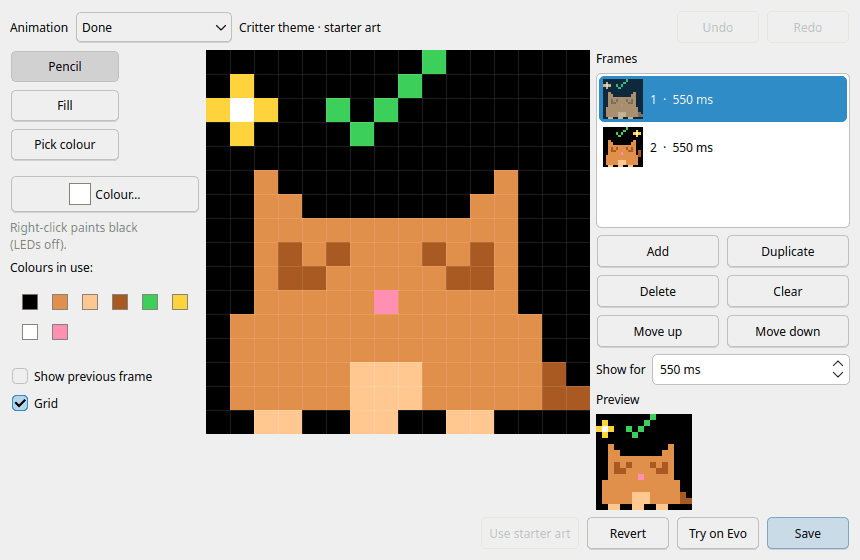
- A built-in pixel-art editor with onion skin, a live preview and "Try on Evo", so you can redraw any animation and see it on the display right away
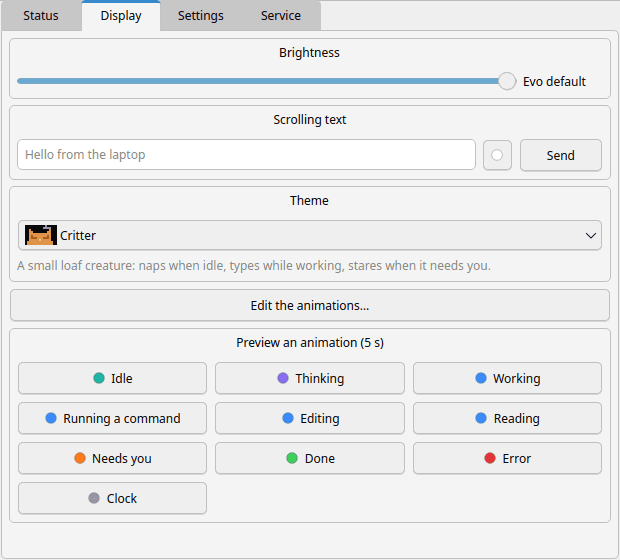
- A tray app for KDE and other Linux desktops: what the Evo shows, brightness, scrolling text, the theme picker, device and timing settings, and the bridge service
- Talks to the Evo over the laptop's own Bluetooth, or through an ESP32 on Wi-Fi so any computer on the network can drive it
Screenshots
Every theme in six of its states, the companion app, and the art editor.
Built with
- Node.js for the bridge, which speaks the Evo's Bluetooth protocol, and for the art pipeline
- Python and Qt (PySide6) for the tray app and the art editor
- C++ on an ESP32 for the Wi-Fi version
Status
Working on my desk every day, and open source. It needs a classic Timebox Evo (the one with a Bluetooth serial port). The source code and setup guide are on GitHub.